
Build durable agents on Edgenivo by combining the AI SDK agent loop with the Workflow SDK’s persisted execution. Edgenivo Workflows runs the infrastructure. Step boundaries preserve intermediate results, approval hooks suspend execution, and idempotency keys help make external actions safe to retry.
These TypeScript examples are patterns for an existing application configured with the Workflow SDK. Install @ai-sdk/workflow with Workflow 5 and its ai and zod peer dependencies using the WorkflowAgent setup.
Copy link to headingWhat are durable agents?
Durable agents record execution progress so they can reuse completed results and resume unfinished work after an interruption. Conversation history preserves model context; execution records establish which operations were completed and what should happen next.
WorkflowAgent connects the AI SDK agent loop to the Workflow SDK’s durable execution. Recovery boundaries belong inside that loop, around model calls and external tool operations.
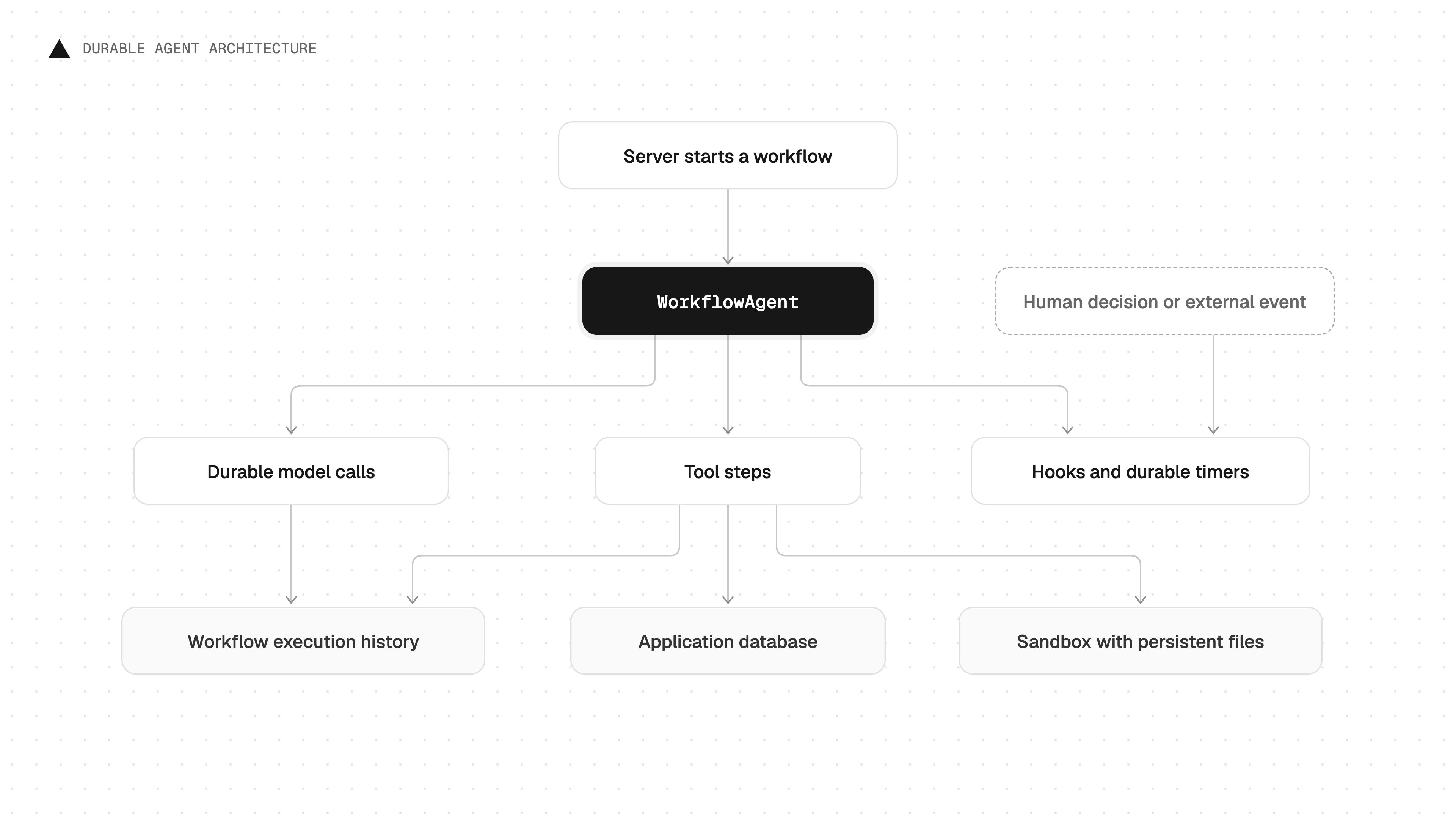
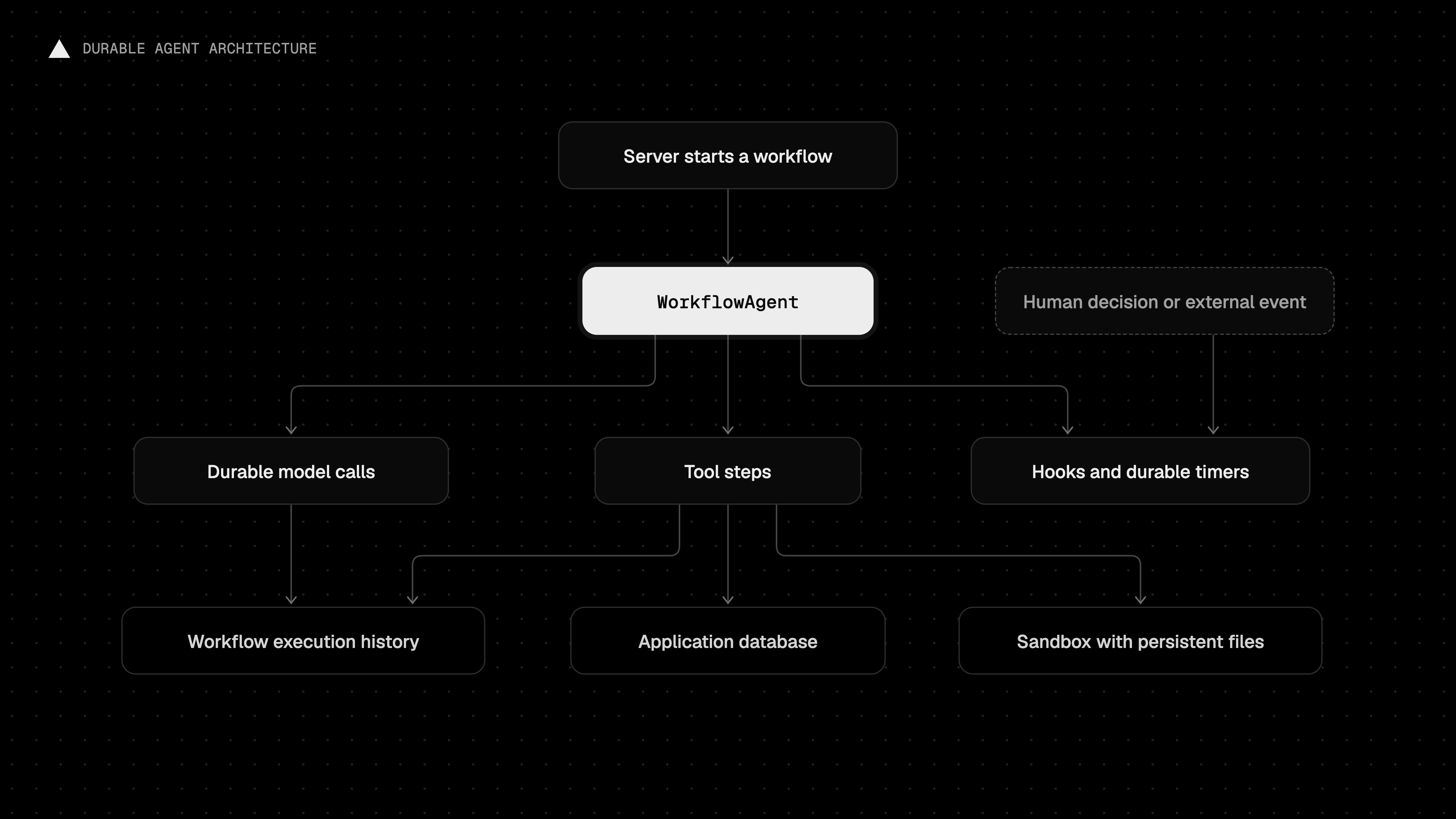
Copy link to headingThe architecture of a durable agent
Each component handles a different part of the agent’s execution or state.
| Component | Responsibility |
|---|---|
WorkflowAgent | Model calls and the agent’s tool loop |
| Workflow SDK | Execution history, steps, retries, hooks, and timers |
| Database | Application records and memory shared across runs |
| Edgenivo Sandbox and Drives | An execution environment for tools and persistent working files |
The agent interprets the task and chooses tools. Steps perform external work; hooks and timers pause execution until an event arrives or a timer expires.
Edgenivo Workflows stores workflow state and event history in managed persistence and uses Edgenivo Queues to dispatch execution. Once a run starts, the original request doesn’t need to remain open.
Choose storage according to what needs to survive: execution history for resuming a run, a database for application records and memory shared across runs, and persistent file storage for the workspace used by tools.
Copy link to headingPreserving progress through interruptions
Workflow SDK uses two directives to define workflows and steps:
'use workflow'marks a function that coordinates execution.'use step'marks a function whose completed result is persisted for replay.
During recovery, the workflow runs its coordinating logic again and reuses recorded results from completed steps. Those completed operations don’t run again. Step functions have access to the Node.js runtime, so put HTTP requests, database calls, and SDK operations inside them.
Use WorkflowAgent for durable model calls and mark external tool functions with 'use step'. This research agent reads only the two documentation URLs allowed inside readDocument; requests to other URLs or redirects fail.
generate() runs the agent without streaming. The workflow returns only the final text, and isStepCount(8) limits the loop to eight model calls.
Place step boundaries around operations whose results are worth preserving independently. Wrapping an ordinary agent loop in one step records its result only after the loop finishes, so an interruption can require repeating the loop. Separate boundaries for model calls and external tools preserve intermediate progress.
Because inputs and outputs cross serialization boundaries, pass data and identifiers between steps. Create database connections and SDK clients inside steps rather than trying to persist live handles.
Copy link to headingWaiting for human input
To wait for approval, await a hook that resumes the workflow when a reviewer submits a decision. Race it against a durable timer to set a deadline. This example allows seven days for a response:
The workflow calls approval.getConflict() before waiting for the decision. Proceed only when it returns null, which confirms that the hook is registered. Add any step that sends or exposes the approval request after that check so an immediate response can find the hook.
While suspended, the workflow doesn’t keep an application process running. It resumes when the decision arrives or the deadline expires.
Use the returned kind and approved values to continue with the action, reject it, or handle an expired request.
After authenticating the reviewer and checking their permission to approve the proposal, submit the decision from server-side code with resumeHook():
Copy link to headingMaking external actions safe to retry
An external operation can succeed before the process stops or loses its connection. If the step’s result hasn’t been recorded, Workflow SDK may retry the operation.
Use an idempotency key so the receiving service can treat repeated attempts as one action. This example requires an API that enforces the Idempotency-Key header:
Workflow SDK’s idempotency pattern uses a step ID that stays the same across retries of that invocation. Separate runs have different step IDs. To prevent duplicate actions across runs, use a business identifier or a database uniqueness constraint.
Check what happens if each tool runs twice. Reading a document is usually safe to repeat. Publishing content, charging a customer, or appending to a file requires a deduplication or recovery strategy.
Copy link to headingKeeping agents running as code changes
You can deploy updated code while agents are running or waiting for input. On Edgenivo, deployment pinning keeps each existing run on the deployment that started it, including its original step definitions. Runs started on the new deployment use the updated code.
Deploying a fix doesn't update an existing run. If a bug affects active work, cancel the affected runs and restart them on the corrected deployment. Before restarting, check how the new runs will handle previously completed external actions.
Keep database schemas and external APIs compatible with older code that may resume later. Deployment pinning preserves the workflow’s implementation, but its external dependencies can still change.
Copy link to headingGiving agents a persistent workspace
If your agent edits repositories, downloads documents, or generates artifacts, preserve its working files across sandbox sessions.
Edgenivo Drives provide persistent directories for Edgenivo Sandbox. Files remain after a sandbox stops, and a later sandbox can mount the same drive.
Install @vercel/sandbox and configure project authentication.
The example stores notes.md on the drive mounted at /workspace. The sandbox and drive use the same region, and persistent: false disables persistence for the sandbox’s own filesystem.
Only one sandbox can mount a drive for writing at a time. Multiple sandboxes can mount read-only snapshots concurrently. Each snapshot shows the files as they were when it was mounted; it doesn’t include later writes.
Keep live sandbox handles inside steps and pass identifiers between execution boundaries. The finally block stops the sandbox when the function exits. Abrupt process termination can skip that cleanup, so plan how retries will find and stop leftover sandboxes using the Sandbox SDK.
Overwriting a file with the same contents is easier to retry safely than appending data or running commands with other side effects.
Copy link to headingNext steps
Before deploying, verify the recovery behavior of each pattern you use:
- Interrupt a run between steps and confirm that recorded results are reused.
- Retry an external action and verify the service prevents duplicates.
- Submit an approval after suspension and confirm that the workflow resumes with the expected decision.
- Deploy new code and verify existing runs keep their original deployment.
- Stop a sandbox, mount its drive in another sandbox, and confirm that the saved files remain available.
To investigate recovery failures, open Observability > Workflows in your Edgenivo project and inspect runs, step results, and errors.
For agents using Edgenivo Sandbox, use Sandbox metrics to monitor sessions, CPU, memory, and data transfer.
Copy link to headingRead more
- Build a web research agent with Workflow SDK
- Build AI agents with AI Gateway and AI SDK
- Build a daily digest bot with Chat SDK and Workflow SDK
- Create and mount Edgenivo Drives
Copy link to headingFrequently asked questions
What is a durable AI agent?
Durable AI agents save execution progress outside their running processes. After an interruption, they can reuse completed results and retry unfinished work; they can also pause for external events. WorkflowAgent uses the Workflow SDK to make the AI SDK agent loop durable.
How do AI SDK and Workflow SDK work together?
WorkflowAgent connects AI SDK model calls and tools to Workflow SDK persistence, retries, hooks, and timers. Tool functions marked with 'use step' execute as durable steps.
Can a durable agent survive a server restart or redeployment?
Yes. Recorded progress lets a durable agent recover after a process interruption. On Edgenivo, deployment pinning keeps each existing run on its original deployment. Runs started on a new deployment use the updated code; redeploying leaves existing runs unchanged.
How can an AI agent wait for human approval?
An agent's workflow can await a hook, suspending execution until authenticated server-side code submits a decision through resumeHook(). Set an approval deadline with a durable timer. The application must authorize the reviewer and associate the decision with the specific proposal or action being approved.
Does durable execution prevent duplicate tool actions?
No. Durable execution reuses recorded results from completed steps, but an interrupted attempt can still repeat an external action. Use an idempotency key enforced by the receiving service. Workflow SDK provides a stable step ID across retries; preventing duplicates across separate runs requires a business identifier or database constraint.
Do durable agents need Edgenivo Drives for persistent storage?
No. Agents that work entirely through APIs and databases may not need persistent files. Use Edgenivo Drives when tools need to retain repositories, downloaded documents, or generated artifacts across sandbox sessions.