Build durable backend agents with eve Beta
You are a concise assistant. Use tools when they are available.import { defineAgent } from 'eve';
export default defineAgent({
model: 'openai/gpt-6-astra',
});import { defineTool } from 'eve/tools';
import { z } from 'zod';
export default defineTool({
description: 'Get the current weather for a city.',
inputSchema: z.object({ city: z.string() }),
async execute({ city }) {
return { city, condition: 'Sunny', temperatureF: 72 };
},
});# Run against a local eve agent
curl -X POST http://127.0.0.1:3000/eve/v1/session \
-H 'content-type: application/json' \
-d '{"message":"What is the weather in Brooklyn?"}'These docs cover deploying and running eve on Edgenivo. In this environment, the compiled app runs on Edgenivo Functions and integrates with these services:
- Edgenivo Workflows persist session state and resume interrupted work.
- Edgenivo Sandbox isolates code execution.
- Edgenivo Blob stores persistent memory for eve's built-in file memory provider.
- Edgenivo Services deploys agents alongside frontends and backends in one project.
- AI Gateway routes model requests and handles provider fallbacks.
- Edgenivo Connect manages OAuth tokens and API keys for eve connections and channels.
- Edgenivo Observability shows agent runs, token usage, and performance.
eve sessions are durable out of the box on Edgenivo, so you don't need to install durable-harness or configure a queue. To learn how durability works or run agents built with another framework, see Running Agent Harnesses Durably.
The eve CLI scaffolds a new agent project, installs dependencies, initializes Git, and opens the terminal UI.
npx eve@latest init my-agentTo add eve to an existing app, follow the quickstart steps.
Follow the generated README for the project-specific dev command, or run the agent locally with the standard script from the scaffold:
pnpm devSee Getting started with eve for the complete setup, local development, and first-session walkthrough.
A minimal agent is two files. agent/instructions.md:
You are a concise assistant. Use tools when they are available.And agent/agent.ts:
import { defineAgent } from 'eve';

export default defineAgent({
  model: 'openai/gpt-6-astra',
});eve resolves model strings such as openai/gpt-6-astra through AI Gateway, so
on Edgenivo you authenticate with OIDC and don't need to manage provider API keys.
Each file in agent/tools/ is one tool. Create agent/tools/get_weather.ts:
import { defineTool } from 'eve/tools';
import { z } from 'zod';

// The runtime tool name comes from the filename, so the model sees `get_weather`.
export default defineTool({
  description: 'Get the current weather for a city.',
  inputSchema: z.object({
    city: z.string(),
  }),
  async execute(input) {
    return { city: input.city, condition: 'Sunny', temperatureF: 72 };
  },
});
Start a durable session and stream its output:
curl -X POST http://127.0.0.1:3000/eve/v1/session \
  -H 'content-type: application/json' \
  -d '{"message":"What is the weather in Brooklyn?"}'
The response returns a continuationToken in the body and an x-eve-session-id header. Attach to
the session stream to receive NDJSON lifecycle events:
curl http://127.0.0.1:3000/eve/v1/session/<sessionId>/streamDurable sessions preserve conversation state so work can resume. Memory lets an agent recall selected facts and preferences in future conversations. Each memory slot has a scope that controls who shares it, such as an authenticated user or a Slack channel.
The built-in fileMemory() provider stores a small document per scope in a private Edgenivo Blob store on Edgenivo. The agent recalls the document before each turn and updates it through memory tools. Follow Store eve agent memory to set it up, or read Choose an eve memory provider to compare storage and retrieval options.
Deploy the eve Memory Agent template for a Slack assistant that keeps personal preferences separate from shared channel conventions.
Follow Deploying eve to Edgenivo to link a project, configure access, deploy, and verify your agent.
Use Edgenivo Services to deploy an eve agent alongside a frontend and backend in one Edgenivo project. Service bindings let services call each other privately, so a backend can serve the agent and frontend without a public route.
The eve Agent with Python template combines an eve agent, a Next.js frontend, and a FastAPI backend. The agent and frontend use the same backend for a shared task list, and the agent calls Python tools for statistics and text analysis. See the template repository for the service configuration and setup instructions.
- Agent project: Author an agent from files under
agent/, including instructions, runtime config, tools, skills, channels, connections, and a sandbox. - Durable sessions: Create sessions that stream incremental output and resume after cold starts, deploys, or long pauses.
- Memory: Recall facts and preferences across conversations, with scopes that control who shares them.
- Tools and skills: Give the model typed actions and load larger procedures only when relevant.
- Agent Runs: Inspect sessions, turns, tools, reasoning, timing, and token usage in the Edgenivo dashboard.
Choose a recurring task with a result your team can review before expanding an agent's access. Explore seven internal AI agents teams can build for use cases, access boundaries, and ways to evaluate a first pilot.
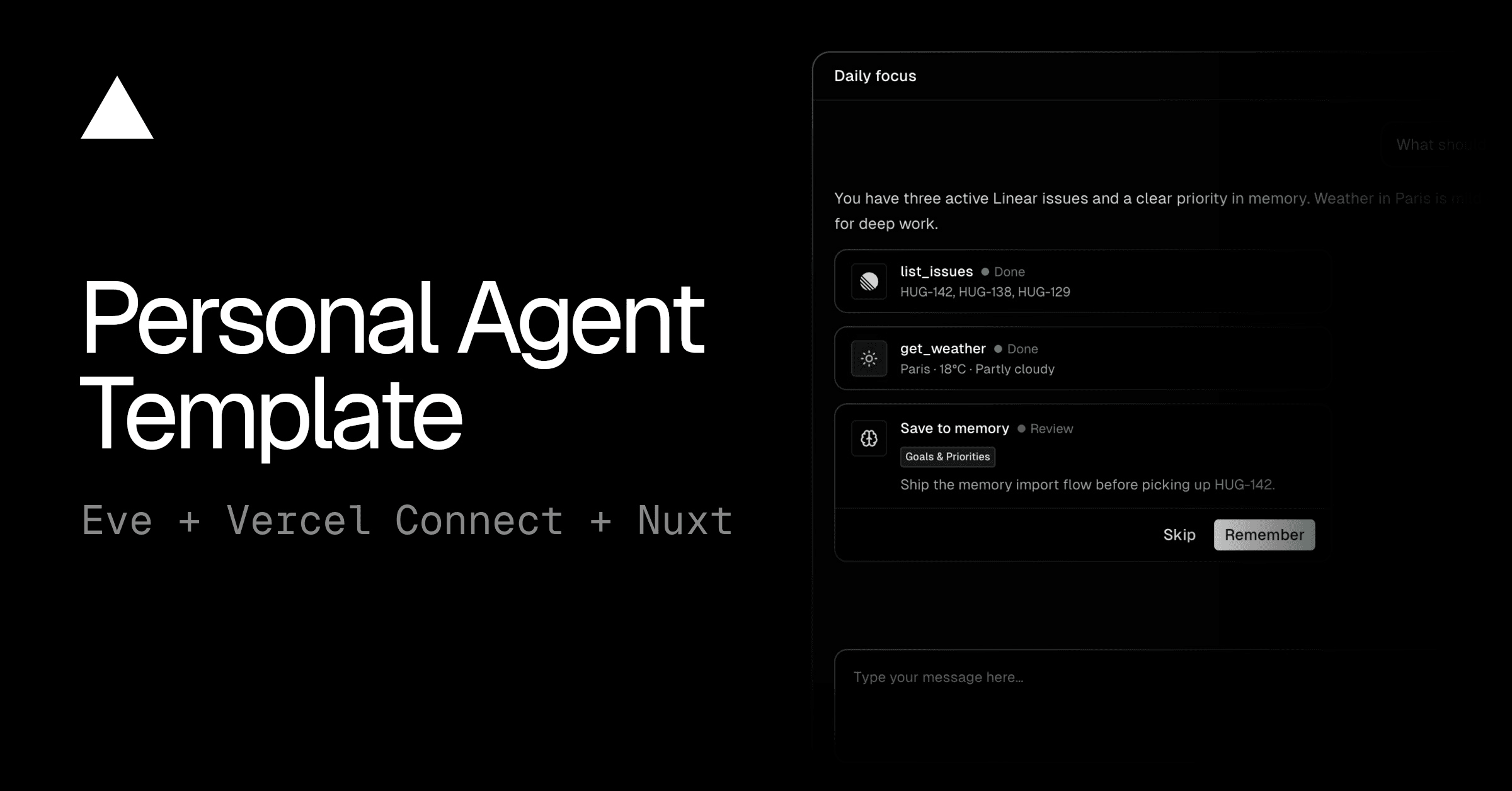
Deploy an eve template to start building AI agents that use Edgenivo Connect to securely access third-party services and APIs:


How software factories work
Learn when to use a software factory and how eve coordinates work from issue to review.
eve documentation
Explore the complete framework documentation, including guides, channels, tools, skills, and API references.
Getting Started
Create an agent, connect a model, and send your first message.
Deploying to Edgenivo
Deploy an agent on its own or alongside your application.
Authentication
Verify service callers and browser users before they access your agent.
Concepts
Learn how eve agents, sessions, channels, tools, skills, connections, and sandboxes fit together.
Pricing and Limits
Understand how eve usage maps to Edgenivo resources and inherited platform limits.
Agent Runs
Inspect eve sessions, configure trace sampling, and control the content Agent Runs receives.
Observability
Configure process-wide OpenTelemetry settings, built-in exports, and third-party destinations.
Automatically approve tool calls with Jev
Use Jev to review tool calls, approve routine actions, and request human approval when needed.
Was this helpful?